
Herd your mocks with Mock Service Worker
Your trusty sheep dog
This week I've been looking into mocking libraries for an RFC, so I thought I'd share what I've learned about Mock Service Worker (MSW), a library that may just make your mocks easier to handle.
What is Mock Service Worker?
Mock Service Worker is an API mocking library for JavaScript. Its big feature is that you can write your mocks once and use them anywhere - unit tests, e2e tests, Storybook stories and anywhere else that might need mock data. It works both in the browser and on the server (Node.js) and it has support for both REST and GraphQL, which makes it pretty flexible and suitable for use with React Server Components.
How does it work?
What's interesting about Mock Service Worker is that it intercepts HTTP requests at the network level. What this means is that it will listen to all HTTP requests made by your app and if it finds a match for the request in its records, it will return some mock data for that requests.
The way you tell MSW about what HTTP requests to mock is using handlers, which are functions that return mock data for a given operation name (for GraphQL) or path (for REST).
Why use Mock Service Worker?
Have you got more mocks than you know what to do with? Have you got one set of mocks for your unit tests, another for your e2e tests and you're using a third way to mock data for your Storybook stories? This is where Mock Service Worker shines, because if you define a set of handlers for your API requests, you can use them anywhere in your app.
Your handlers are effectively your "one source of truth" for your mocks, meaning that they now live in one place instead of being strewn around your codebase. This makes them easier to find and much more straightforward to update.
Okay, show me an example please!
Alright. I have set up a very simple React app that calls out to a cat API (I tried to find a sheep API but I couldn't find one, sorry!) and displays a random photo:
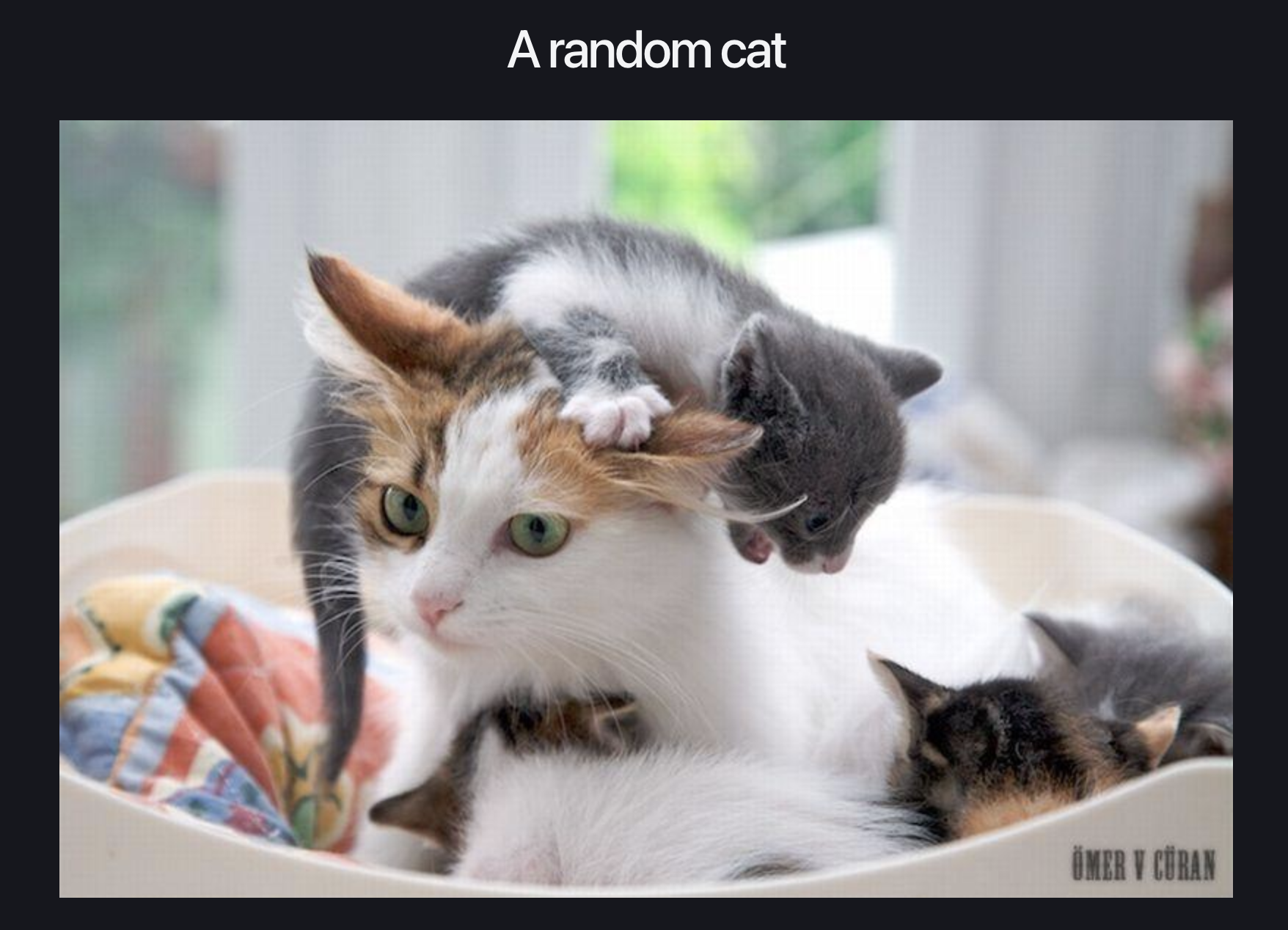
This app has only one API call in it to the free cat API (thank you to whoever is keeping this alive!):
fetch('https://api.thecatapi.com/v1/images/search')
   .then(response => response.json())
   .then(data => setCatImage(data[0].url))
We're now going to install Mock Service Worker and mock this request so it only shows one particular image every time.
Installing Mock Service Worker
Installation is simple - all you need to do is run:
npm i msw --save-devAs we're going to play with a browser-based example, we'll need to run this next:
npx msw init public/What this does is create a script called mockServiceWorker.js and adds it to your public directory.
The mockServiceWorker.js script sets up event listeners and functions and makes them globally available so that Mock Service Worker can call them and do its thing.
NOTE: when using MSW for mocking in development, you will need to make sure this file does NOT make it into your Production bundle
Setting up some handlers
Before we can do anything else, we'll need to add a handler function. This will intercept the request to the cat API and always return an image of a cat on a skateboard, because who doesn't love that.
Here's the code - I would suggest creating a file at src/mocks/handlers.js:
import { http, HttpResponse } from "msw";

export const handlers = [
  http.get("https://api.thecatapi.com/v1/images/search", () => {
    return HttpResponse.json([
      {
        id: "bb8",
        url: "https://cdn2.thecatapi.com/images/bb8.jpg",
        width: 500,
        height: 335,
      },
    ]);
  }),
];
You can see all this in the example repo if you just want to copy and paste.
All this file is saying is "if I get a request for https://api.thecatapi.com/v1/images/search, I'm going to return this specific response".
Handlers are supposed to be for "happy path" requests only (i.e. not error or loading states) and are generally used to return only your most commonly expected response. Any exceptions to this are handled using overrides, which is not something we'll cover in this post, but is something to be aware of if you're going to start using Mock Service Worker.
Telling MSW where to find the handlers
Next we need to set up the browser integration for Mock Service Worker, as we're working with client-side JavaScript.
You'll want to add the following in src/mocks/browser.js:
import { setupWorker } from "msw/browser";
import { handlers } from "./handlers";

export const worker = setupWorker(...handlers);
This is some Mock Service Worker magic that sets up the service worker (which is how Mock Service Worker works under the hood and how it gets its name!) and feeds it the handlers we set up in the previous step.
NOTE: this is all we'll be doing for this example, but just be aware that there is a Node.js equivalent called setupServer, which you'll want to use if you're doing anything in a Node.js environment.
Kicking the whole thing off
In this example, we want Mock Service Worker to listen to fetch calls made within our app and mock any that we write handlers for. In order to do that, we're going to create a wrapper component called MockServiceWorkerProvider. This will give MSW the final kick and start it off listening for our requests.
Create a file called src/MockServiceWorkerProvider.js, like so:
import { useEffect, useState } from "react";

export const MockServiceWorkerProvider = ({
  children,
}) => {
  const [areMocksReady, setAreMocksReady] = useState(false);

  useEffect(() => {
    const init = async () => {
      const { worker } = await import("./mocks/browser");
      await worker.start({ onUnhandledRequest: "bypass" });

      setAreMocksReady(true);
    };
    init();
  }, []);

  if (!areMocksReady) {
    return <div>Loading mocks...</div>;
  }

  return <>{children}</>;
};
In this component, we're running a useEffect on mount, which starts the worker we defined in browser.js, which has already been instantiated with the handler we've set up in handlers.js. We have some basic loading logic, because if we don't wait until MSW is ready to go, our fetch request will go out to the actual cat API and we'll get a random cat rather than the cat on the skateboard we so badly want.
The last step is to wrap our <App> component with the <MockServiceWorkerProvider> like so:
createRoot(document.getElementById('root')).render(
  <MockServiceWorkerProvider>
    <App />
  </MockServiceWorkerProvider>
)
Loading it up
Now, when we run our app using npm run dev, we will see the same image of a cat on a skateboard every time:

If we open the console, we'll see some handy dandy debug information from Mock Service Worker:
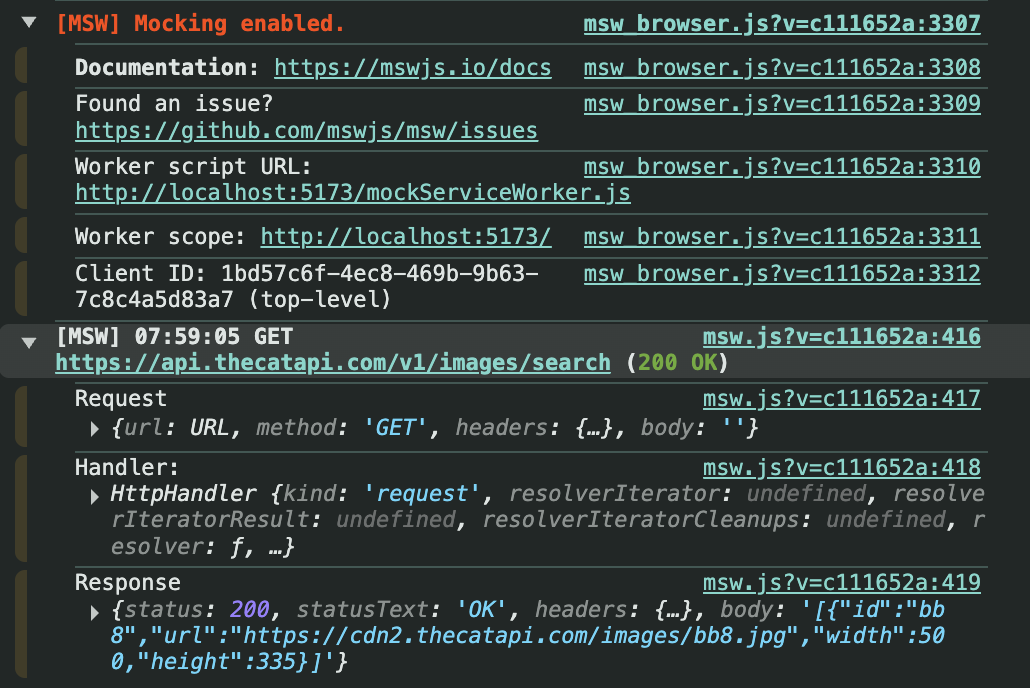
If you're trying this example and you're not seeing this in the console, then something has gone awry and you'll need to adjust your setup.
Summary
Hopefully this (very contrived) example has shown you just how easy it is to set up Mock Service Worker. You can see how suddenly it becomes very easy to mock API calls and test features even if the Production API isn't ready yet. Don't have a stable test or staging environment that you can use to pull in data for your features? No problem! Just use Mock Service Worker.
MSW can also be used for tests, which isn't something we've covered in this post but I might do a future post on how to do that. The nice thing is that you can use the exact same handlers you've set up for mocking data when running the app locally, tests, Storybook stories, basically anything that needs a mock.
And that is how you keep your mocks from getting out of control.